
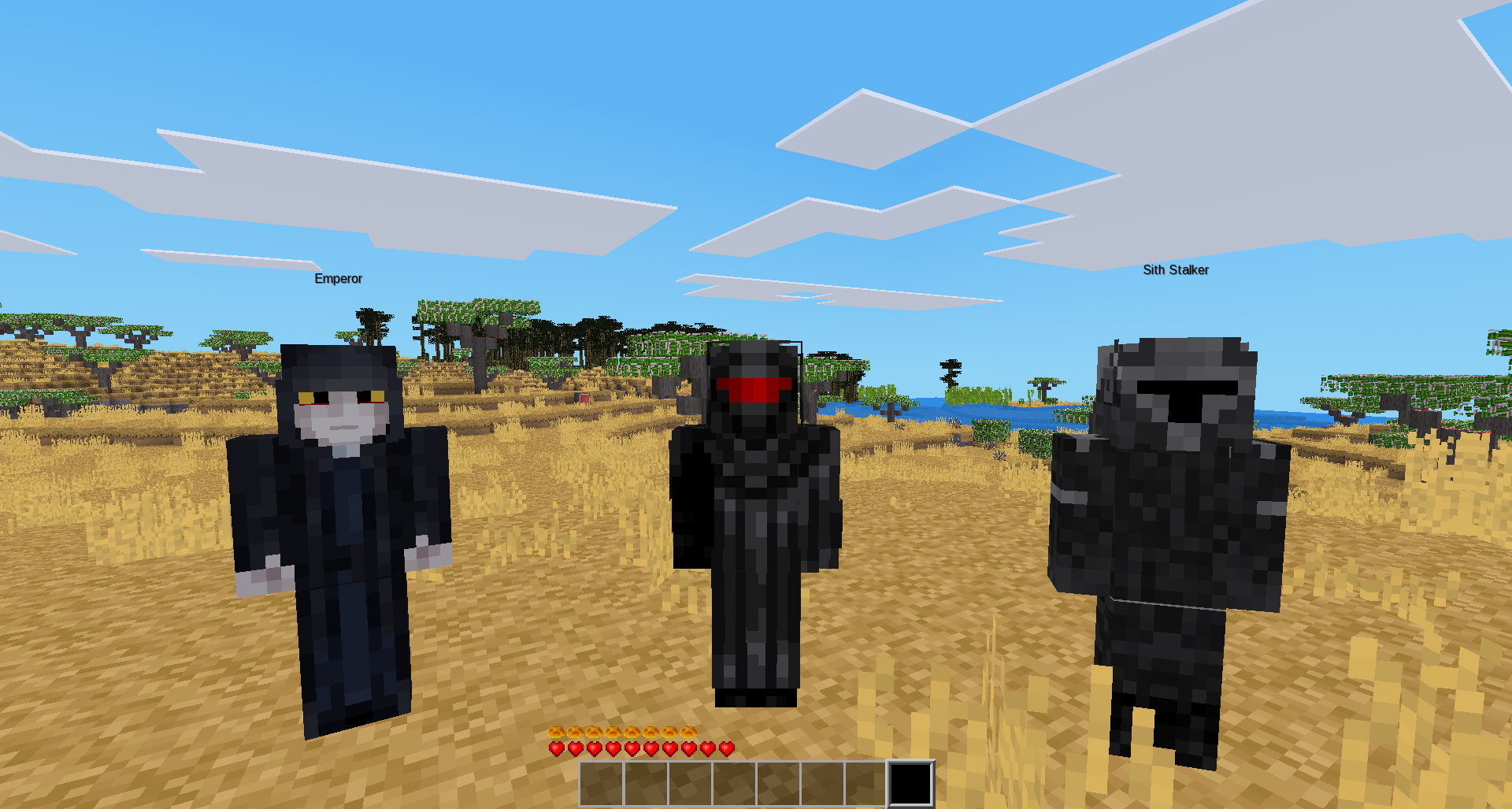
** fake_player -- By MineWorlds
This mod has been developed heavily by AI with manual understanding of some lua logic and lua theory to troubleshoot, fix bugs and figure out features.
this is the fake_player mod, an mod that adds special fake players with heavy customizable features, needs fake_master priv to use commands and "the controller" i listed more information about the mod under.
Commands "/listskins" checks the skinids and their png names
"/spawnfake <id> <float/descend> <name> <color>"
spawnfake allows you to spawn the fake players, <id> is the skin id, which you will find in listskins, and <float/descend> is the option to either make your fake_player float in the air (no gravity) or descend to the ground (have gravity)
<name> is what you want to name the fake_player, <color> is what color you want to set its nametag, it supports 3 digit, 6 digit hex codes, and also supports normal named colors.
developer's note:
keep in mind that if you are just interested in doing an simple spawn, do
/spawnfake <id> <float/descend>, although it provides no name here, it will default to the character's skin name, and the default nametag color would be white.
<name> cannot have gaps in between otherwise it would conflict with <color>, you can however bypass this by putting a U+2004 character text (invisible special text) in between the name so it would display like "Spongebob Squarepants" in the nametag like how it works in default names.
<color> can support a heavy range of 3-digit and 6-digit hex codes, so you got a large color choice.
so yes, only <id> <float/descend> are the only must inputs you must do to spawn it, the rest is to make it more customizable.
The Controller it is an special admin tool that needs fake_master priv to able to function, here are the key inputs you should know:
Give fake_player an wielded item input: Right Click + Shift while looking at the air or node: it scans for an item in the left, if there's nothing, it will scan for an item in the right instead, if it finds an item, it will load the information into its memory. then while this part of the tool is active, left click on the fake_player, and it will be wielding the item based on the information the controller got. repeat this process if you want to remove the wielded the item from it (must be the same item it was given before!) otherwise if you use a different item, it will just replace it instead with said item.
Rotate fake_player input: Left Click on the fake_player while holding the controller tool.
Add armor pieces to fake_player input: Left Click + Shift on the fake_player while holding the controller tool: depending where you are looking at, (e.g helmet area, chestplate, etc.) it will cycle through the armor tier accordingly , so for example: if you are looking at the helmet area and use the input, it will cycle to wood, then cactus, and so on.
Add entire armor set to fake_player input: Right Click + Shift on the fake_player while holding the controller tool: this cycles through the entire armor set tiers.
Check metadata information about fake_player input: Right Click on the fake_player while holding the controller tool: it tells you the most of the important metadata information about the fake_player you used it on.
Change animation behavior on fake_player input: Left Click + Aux on the fake_player while holding the controller tool.
Delete the fake_player input: Right Click + Aux on the fake player while holding the controller tool: