
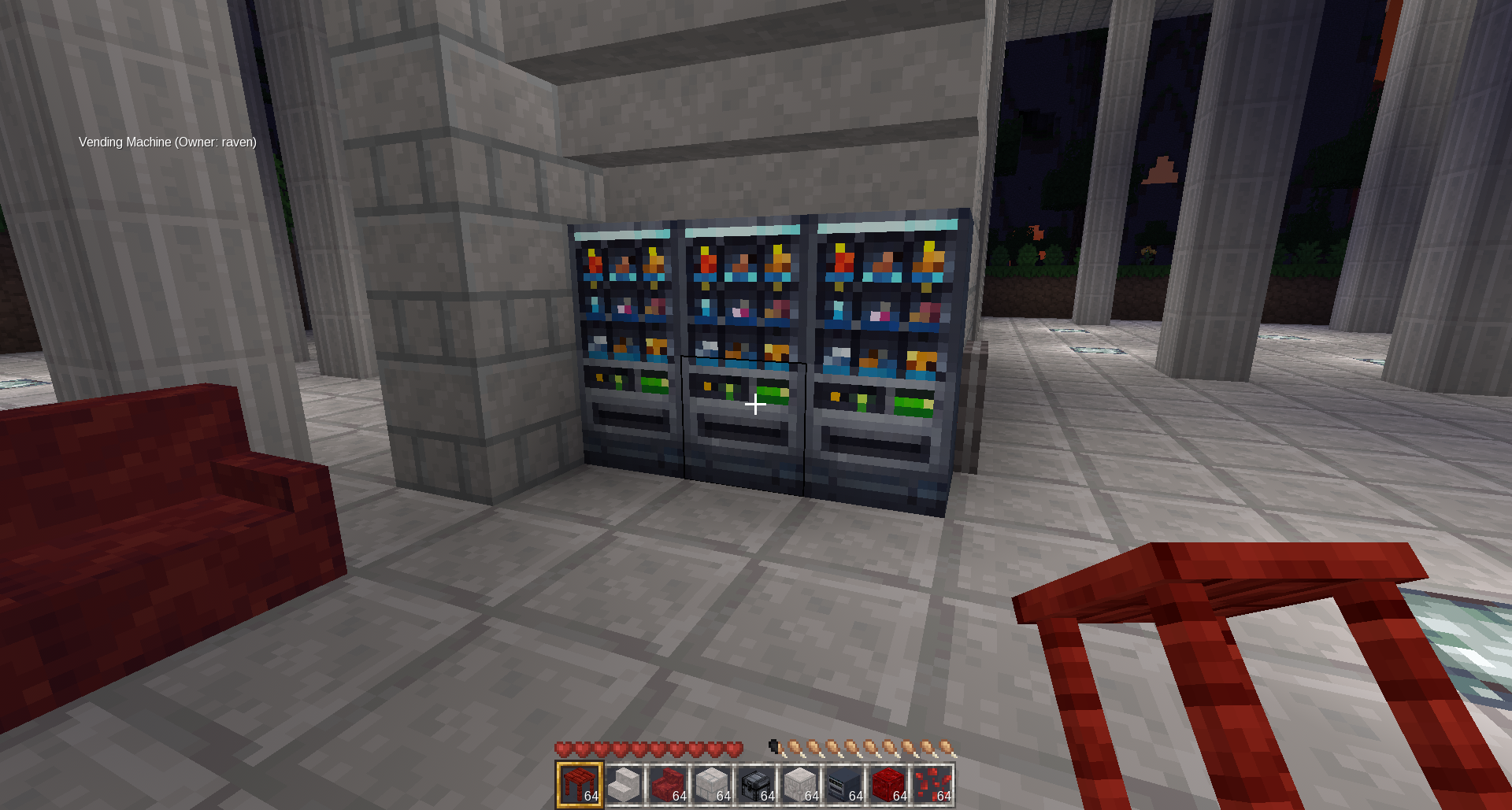
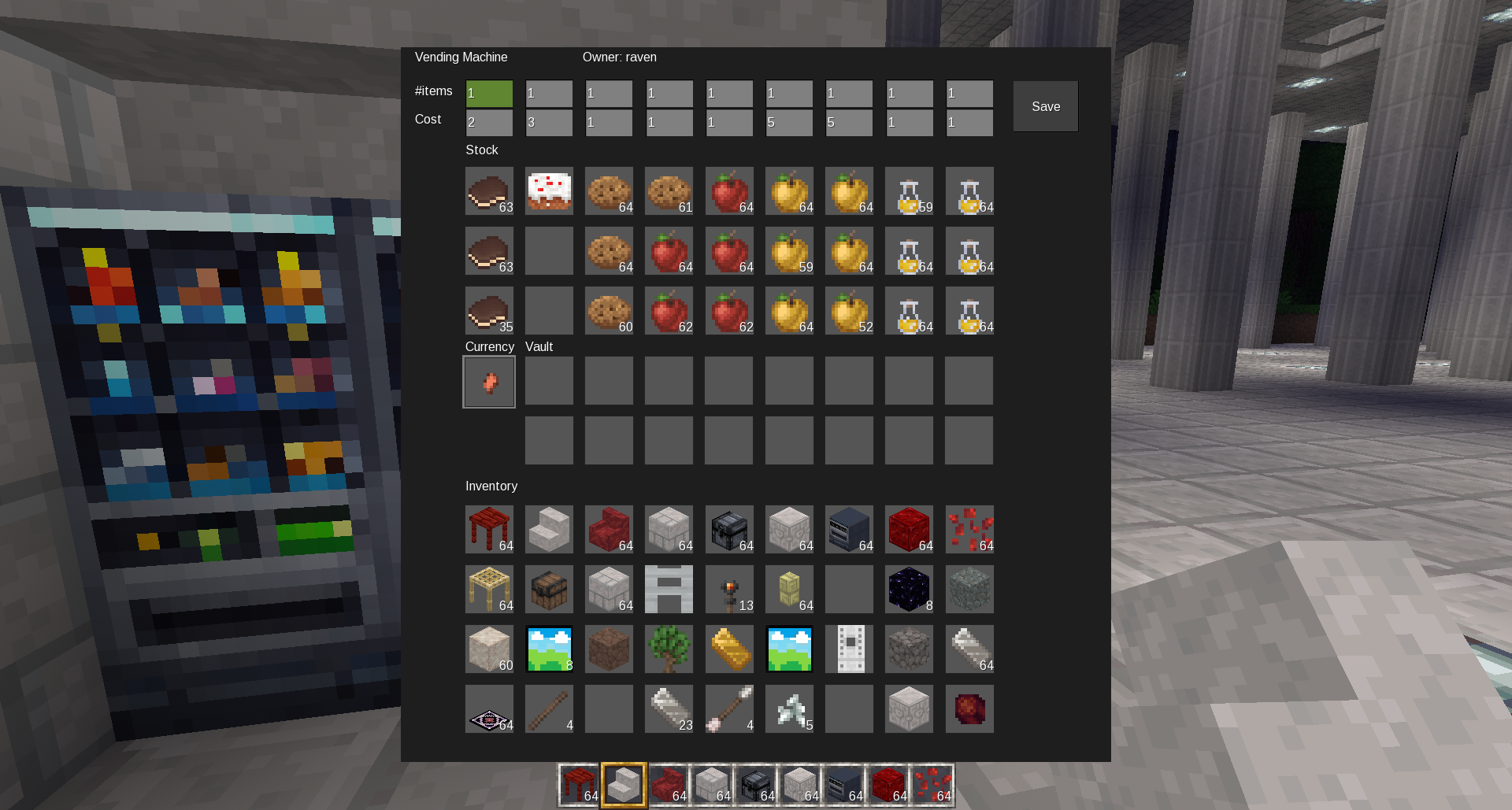
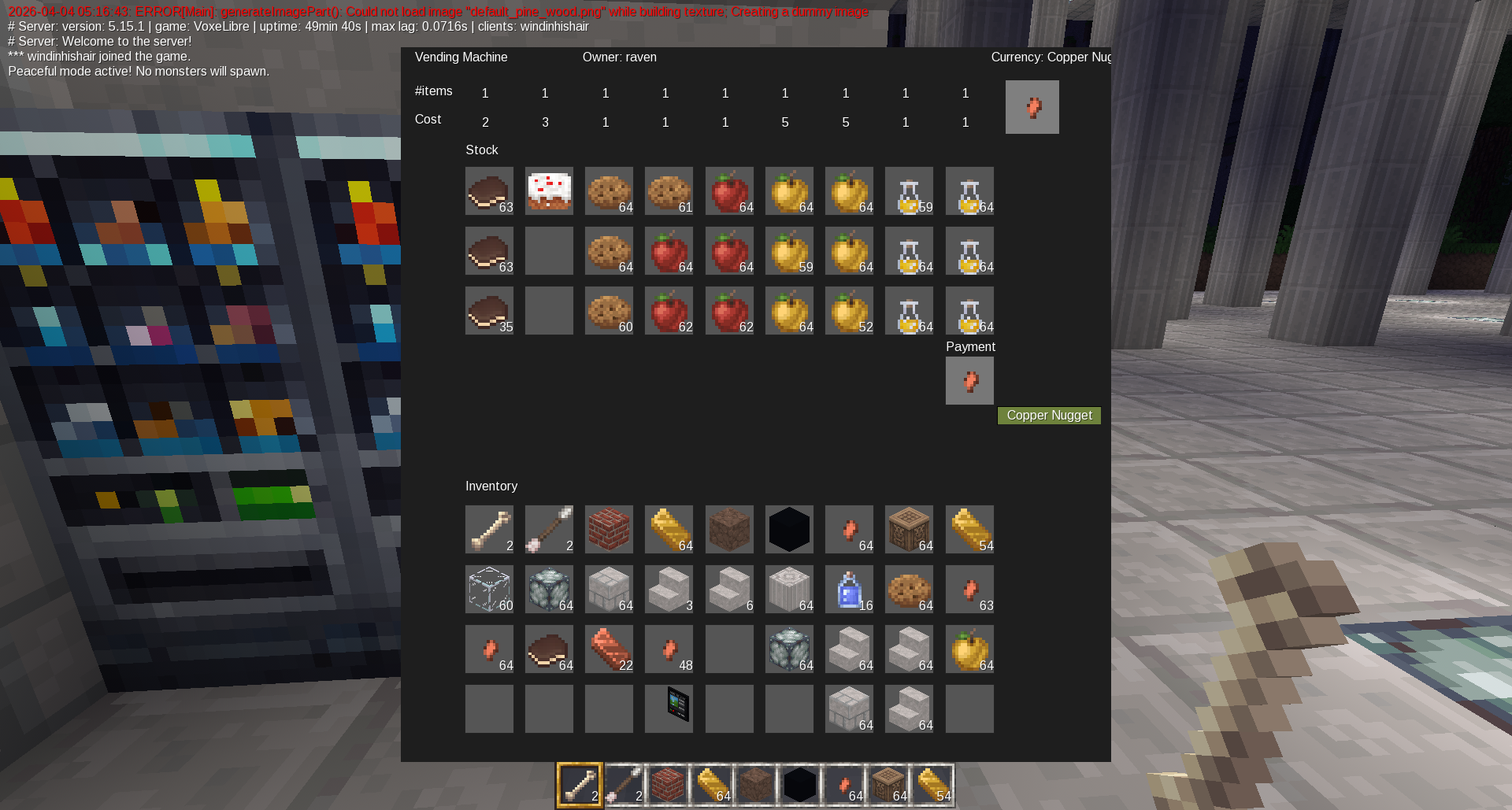
Vending Machine Mod
A two-block-tall vending machine for VoxeLibre.
Features
- Two-block-tall vending machine node
- Owner-only configuration and destruction
- Owner-only access to the machine vault and currency slot
- Configurable currency item by placing one item in the currency slot
- 9 product columns
- 3 stock rows (27 stock slots total)
- Configurable price per column
- Configurable quantity per price per column
- Buyers can purchase as many full bundles as they can afford in one drag/take action
- Powered / unpowered states with separate on/off textures
- Machine only sells while powered by redstone
- Light emission only while powered
- Hopper support for pulling currency out of the vault from below
- Works well with locked chests for secure automated income storage
How It Works
The machine has:
- Stock: 9 columns × 3 rows
- Currency slot: defines what item is used as payment
- Vault: stores money earned from purchases
Each of the 9 columns has:
- #items: how many items are sold per purchase bundle
- Cost: how much currency is required for that bundle
Example:
#items = 5Cost = 3
This means the machine sells 5 items for 3 currency from that column.
If a buyer inserts 8 currency, they can take up to 10 items, and 6 currency will be charged.
Owner Setup
- Place the vending machine.
- Open it.
- Put exactly one item into the Currency slot. That item becomes the accepted currency.
- Fill the Stock grid.
- Set #items and Cost for each column.
- Press Save.
- Power the machine with Mesecons / redstone.
Buyer Use
- Open the machine.
- Put the correct currency item into the Payment slot.
- Take items from the stock grid.
- The machine will only allow taking the amount that can be afforded in full bundles.
Powered Behavior
- The machine has separate off and on node states.
- It only allows purchases while powered.
- It only lights up while powered.
Hopper Behavior
If a hopper is placed directly under the vending machine base, it can pull items from the vault.
This is useful for automatically moving earned currency into secure storage, such as a locked chest.
Security
-
Only the owner can:
- change prices and quantities
- set the currency item
- access the vault
- dig / destroy the machine
-
Non-owners can only use the payment slot and buy stock while the machine is powered
Suggested Use With Locked Chests
A hopper under the vending machine can move currency from the machine vault into a locked chest.
This prevents the vault from filling up and keeps earnings secure.
Craft Recipe
Example recipe currently used:
minetest.register_craft({
    output = modname .. ":vending_machine_off",
    recipe = {
        {"mcl_doors:iron_trapdoor", "xpanes:pane_natural_flat", "mcl_doors:iron_trapdoor"},
        {"mcl_doors:iron_door", "mcl_chests:chest", "mcl_doors:iron_door"},
        {"mcl_doors:iron_trapdoor", "mcl_comparators:comparator_off_comp", "mcl_doors:iron_trapdoor"},
    }
})
Dependencies
This mod is intended for VoxeLibre and uses:
mcl_*item namesmeseconsfor powered behavior- hopper callbacks used by VoxeLibre container logic
Notes
- The machine inventory is stored in the bottom node.
- The top node is visual / interactive only and forwards access to the base.
- If you customize textures, make sure both top and bottom on/off textures exist.
- If using hopper extraction, ensure the vending machine base node has the
containergroup.